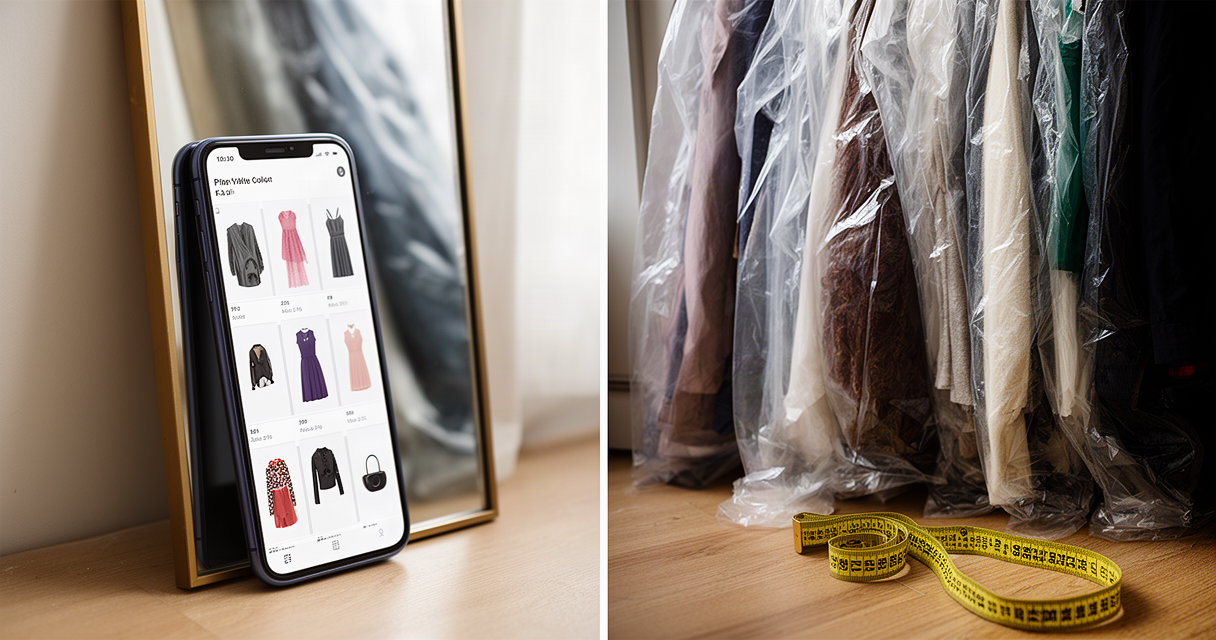
PhotoRoom shows up on nearly every “best background remover for resellers” list, and the editing genuinely earns the spot. One tap turns a cluttered bedroom photo into a clean product shot. But scroll r/Flipping or r/poshmark long enough and a different pattern appears: resellers who paid for a year upfront, then found core features quietly capped mid-subscription.
For a casual seller listing a handful of items a month, roughly $90 to $100 a year is real money for a tool that might sit mostly unused. For a high-volume reseller, the stakes flip. The wrong plan costs hours of manual editing, and a billing dispute during a busy selling season is its own tax on time.
The quick answer: PhotoRoom’s AI background removal is legitimately one of the stronger tools built for resale photography, and it’s worth paying for once listing volume is real. But two things matter before entering a card number — reported billing and cancellation complaints are common enough to take seriously, and no reseller should ever use its (or any tool’s) fake AI “model” feature on a garment they’re actually selling. Lower-volume sellers should try Pixelcut’s free tier first.
The calculus looks similar to other reselling decisions — whether selling on Poshmark or Mercari, the platform changes but the photo-quality math doesn’t. What follows breaks down what PhotoRoom actually does well, what’s gone wrong for paying users, and where the free alternatives hold up.
What PhotoRoom Actually Does for Resellers
The core feature is one-tap AI background removal — upload a photo of a garment on a bed, a hanger, or the floor, and PhotoRoom isolates the item and drops in a clean white or custom background. That alone is what most resellers are paying for.
A few features build on that core:
- Instant Shadows — adds a realistic floor shadow after background removal, so the item doesn’t look like it’s floating on a flat white void.
- Batch editing — processes an entire photo shoot at once. This is the feature most long-term subscribers cite as the actual reason they pay: formatting a full closet in a couple of minutes instead of editing each listing photo individually.
- Marketplace-specific templates — square, white-background crops sized for Poshmark, Depop, or eBay listings.
- AI Ironing / wrinkle removal — smooths creases digitally. This works, though steaming the garment before shooting it still produces a truer, more trustworthy photo than a digital fix. Buyers are looking at the real item, not a smoothed render of it.
PhotoRoom also offers a Virtual Model / Ghost Mannequin feature that puts a garment onto an AI-generated body. That feature gets its own treatment further down. It is not something to use without a serious caveat.
One reseller on r/poshmark summed up the core use case plainly: “Life Pro Tip: Try using PhotoRoom for your flat lay or closet panel photos. it makes a big difference!” That’s the honest version of the pitch. Background removal and batch editing save real time and produce a cleaner listing. It’s the part of the tool that holds up under scrutiny.
The Billing Complaints You Should Know About Before You Subscribe
PhotoRoom reportedly holds around a 1.3-out-of-5 rating on Trustpilot, based on roughly 194 reviews at the time of research. That number is a reported aggregate, not independently re-verified here, and it should be treated as one signal rather than settled fact. Complaints on the platform cluster around unexpected charges after free trials and difficulty canceling.
A more concrete, dated incident is easier to stand behind. In November 2025, PhotoRoom cut Pro-plan batch export limits — previously effectively unlimited — down to 500 images a month, mid-subscription, for existing paying resellers. The change triggered a public backlash thread on r/Flipping.
One long-time subscriber described the shift bluntly: “It’s shocking how badly this app has degraded. I’ve been using it for years and given them hundreds and hundreds of dollars. Started out as a great background removal tool but has slowly shifted to an AI photo creation tool and those of us using non-AI features (I.e. background removal) are getting absolutely shafted by imposed limits.”
PhotoRoom’s response deserves credit, even if it was reactive. The company’s CEO replied directly in that r/Flipping thread with a grandfathering fix: “we’ve heard from a lot of you that the change landed in the middle of active subscriptions and broke your workflow. we understand why that felt unfair… anyone who subscribed before november, when the limits were introduced, will be able to activate extended batch limits until their current subscription renews.”
That’s a real acknowledgment and a real fix, not just a PR statement. The complaint pattern is genuine but not universal — some long-time users stuck around after the correction, and the CEO showing up in the thread personally is not nothing.
The practical takeaway: read cancellation terms before starting any free trial, cancel through the same platform used to subscribe (App Store, Play Store, or the web, since cross-platform cancellation is a common failure point across subscription apps generally), and don’t assume a yearly price locks in current features. PhotoRoom’s own November 2025 change proves that assumption wrong.
The Free Alternative: Pixelcut (and Do You Even Need a Paid App?)
Pixelcut is the most commonly cited free alternative. Its reported free tier includes background removal and basic upscaling with no watermark. Confirm current terms on Pixelcut’s site, since free-tier limits shift. Pixelcut’s paid Pro tier is reportedly priced around $9.99 a month or about $59.99 a year; treat those numbers as approximate and check the current listing before committing.
PhotoRoom’s own free tier is more restrictive than it initially appears. Resellers on r/poshmark describe the actual limits: “I still use Photoroom. You get 250 free exports a month.” Another put the trajectory more bluntly: “yeah photoroom pulled the classic move, free for a bit then started locking basic stuff.” The free tier also carries a watermark and no commercial-use license, both worth checking before relying on it for a real shop.
For a seller doing only a handful of items a month, even a paid app might be overkill. A modern phone’s built-in photo tools can now handle rough background removal well enough for low-volume listing. The upgrade to a dedicated app pays off once editing time — not photo quality alone — becomes the bottleneck.
One newer, resale-specific option worth testing cautiously is Studioify, built specifically for Depop, Vinted, and Poshmark sellers. It’s smaller and less proven than PhotoRoom or Pixelcut, and it also offers an AI “on-body” model feature, which carries exactly the same caution covered next.
The Line You Shouldn’t Cross: Real Photo Cleanup vs Fake AI Models
There’s a meaningful difference between two uses of AI that both get marketed as “AI photo editing,” and resale communities have already drawn the line clearly.
Legitimate use: AI removes the background, cleans up shadows, or places the actual garment on a plain studio backdrop. The photo is still of the real item — editing, not fabrication.
Deceptive use: AI generates a fake “on-model” image, putting the garment on a person who never wore it, was never photographed in it, and doesn’t exist. Buyers can’t judge real fit, drape, or flaws from a rendered guess.
Buyers notice, and they say so. One reseller on r/poshmark put it directly: “yeah it’s an immediate no for me when I see an AI model. It’s one thing to use AI to remove the background of your own photos but it’s another to generate an image of a fake person wearing AI’s interpretation of your item.”
The harm isn’t theoretical. A buyer on r/Depop described the outcome of trusting an AI-generated model shot: “The coat I bought was supposedly a size small and came down to just above the model’s knee. The coat I received fits me like a potato sack and comes down to just above my ankle.”
Conscientious sellers on r/Depop draw the same distinction resale communities are enforcing organically. One explained the boundary in their own workflow: “So I always swap out my house/room background with gray/white solid background, to give all my listings a simple unified look… but I always use a photo of the actual item, so it’s not deceptive in any way, just edited a little.” Another named the underlying technical problem directly: “AI can’t tell you how an item will actually fit on a human being. It just fills in the blanks with what it thinks is close enough.”
It’s worth separating this from a genuinely different context: indie fashion brands using AI-generated “on-model” photos to market brand-new inventory are showing a rendered interpretation of a product a buyer will receive new and unworn. A reseller faking a photo of a used garment a specific buyer relies on for accurate condition and fit is a different transaction entirely — one where the AI-generated image actively misrepresents the exact item changing hands.
The honesty standard extends past outright fake models, too. Over-whitening or over-smoothing a real photo to hide a stain or a flaw creates the same trust problem in miniature. It’s a returns dispute waiting to happen. A close-up of an actual flaw builds more buyer trust than a photo edited to hide it.
Does a Clean White Background Actually Sell Clothes Faster?
Clean, consistent, well-lit photos make a closet look more professional and likely help perceived trust and click-through. That tracks with reseller anecdote across both r/poshmark and r/Depop. But there’s no verifiable, sourced statistic tying background style to a specific sales-lift percentage, and none should be assumed.
What the same threads that reject AI-model photos consistently value is a genuinely honest photo of the real item: accurate color, visible flaws, clear measurements. Heavy editing helps presentation; it doesn’t substitute for accuracy.
Formatting consistency matters more on some platforms than others. Poshmark forces square crops, so a batch tool that standardizes shape saves real friction there. eBay allows rectangular listings, where the pressure to conform is lower. The “AI makes you sell faster” framing oversells what background removal alone can do. Clean photos help at the margins, but an honest, accurate photo does more of the actual selling work.
The Cost Math: Is It Worth It at Your Volume?
PhotoRoom’s paid tiers are reportedly priced around $7.50 a month for Pro (billed annually), about $20.99 a month for Max, and roughly $82.50 a month for Ultra — all approximate, and worth confirming on PhotoRoom’s own pricing page, since tiers and limits changed once already in November 2025 and could change again.
One r/Flipping user’s math illustrates the shift directly: paying about $7.50 a month for years, then finding the equivalent unlimited-export tier now runs closer to $83 to $99 a month at their actual volume. That reseller laid out the break-even bluntly: “So once my Pro subscription ends I will only get 500 uploads a month which is like 50 listings… I’m not using AI models or AI backgrounds or any of the other crap. I purchased a subscription for convenience and mobility but I don’t see me paying 100$ to be able to batch edit the photos for 600 listings, that’s like 60 cents per listing which doesn’t even come close to meeting my needs.”
Rough volume thresholds worth using as a gut check:
- Under 20 to 30 photos a month — the free tier or phone-based tools cover it. Paying doesn’t pencil out yet.
- 50 to 300 photos a month — Pro-tier PhotoRoom or Pixelcut’s paid plan generally justifies itself; batch editing alone saves real minutes per listing.
- Thousands of photos a month, cross-listed across four or five marketplaces — this is exactly where the November 2025 batch-limit change bit hardest. Run the math on actual monthly photo count against current plan caps before committing to annual billing.
High-volume sneaker resellers face the identical batch-cost problem from a different angle — flipping across StockX, GOAT, and eBay runs into the same volume-vs-plan-cap math clothing resellers are now hitting with PhotoRoom.
Our Verdict: Who Should Pay, Who Should Go Free
Pay for PhotoRoom Pro when listing volume is real on a weekly basis, batch editing saves meaningful time, and the current cancellation terms have been read before a card goes on file.
Go free: Pixelcut’s free tier or a phone’s built-in editing tools work well for casual or occasional sellers moving a few items a month. The paid upgrade only earns its cost once editing time, not photo quality, becomes the actual bottleneck.
Test cautiously: Studioify or similar newer resale-specific tools, for sellers who want an app built around Depop, Vinted, and Poshmark workflows specifically. These are less proven than PhotoRoom or Pixelcut and deserve a trial period before any commitment.
Non-negotiable regardless of which tool gets chosen: never use an AI-generated “on-model” photo on a real used garment being sold. Real photos of the real item, every time — AI is fine for cleaning up the background, never for inventing what the item looks like on a body.
Whichever editor gets picked, pairing it with a crosslisting app matters just as much. The time saved batch-editing photos disappears fast if every listing still gets manually re-posted to each marketplace separately.
The Bottom Line
PhotoRoom’s editing is worth paying for once listing volume is real. Background removal and batch editing genuinely save time, and the November 2025 grandfathering fix shows the company will respond to backlash. But the cancellation terms need reading before that first free trial starts, and no tool’s fake AI model feature belongs anywhere near a real used garment.
The action step is simple: count actual monthly listing volume before subscribing to anything. Under about 30 photos a month, start with Pixelcut’s free tier. Above that, and if PhotoRoom’s Pro plan gets chosen, pair it with a crosslisting app so the saved editing time doesn’t get eaten by manual reposting.
Good AI in a resale workflow removes a background. Bad AI removes the truth about what’s actually being sold — and buyers can tell the difference, even when sellers can’t.
FAQ
Is PhotoRoom free to use for reselling clothes?
PhotoRoom has a free tier reportedly capped around 250 exports a month, with a watermark and no commercial-use license. It works for testing the tool, but a casual reseller relying on it long-term should confirm current limits directly on PhotoRoom’s site, since the terms have changed before.
What does PhotoRoom cost in 2026?
Reported pricing runs about $7.50 a month for Pro (billed annually), around $20.99 a month for Max, and roughly $82.50 a month for Ultra — all approximate and worth confirming on PhotoRoom’s official pricing page. Batch export limits changed in November 2025 and may change again, so current plan terms should be checked before subscribing.
Is Pixelcut better than PhotoRoom for resellers?
Pixelcut’s free tier reportedly offers background removal without a watermark, which makes it a reasonable starting point for lower-volume sellers. PhotoRoom’s batch editing and marketplace templates are generally considered stronger for higher-volume resellers who need to process a full closet at once — the better choice depends on volume, not overall quality.
Is it okay to use AI to put my clothes on a model for Depop or Poshmark?
Resale communities on both platforms broadly reject AI-generated “on-model” photos as deceptive, since buyers can’t judge real fit or drape from a rendered image of a person who never wore the item. Using AI to clean up a background on a real photo of the actual garment is a separate, widely accepted practice.
Do Depop or Poshmark ban AI-generated photos?
Platform policy on this is evolving and not settled the way copyright or authenticity rules are. Sellers should check each platform’s current listing policy directly rather than assume a formal ban exists — but community norms on both platforms already treat fake AI model photos as a trust violation, regardless of formal policy.
Why is PhotoRoom getting bad reviews on Trustpilot?
PhotoRoom’s reported Trustpilot rating sits around 1.3 out of 5 across roughly 194 reviews, with complaints clustering around unexpected charges after free trials and difficult cancellation. That figure is a reported aggregate rather than independently re-verified here, and it should be weighed alongside the company’s public, dated response to its November 2025 batch-limit backlash.